Adaptive Physical Communication System (APCS)
Adaptive Physical Communication System (APCS)




Documentation · User guide · Installation · FAQ · Contributing · Changelog
APCS is an open-source Flutter app for offline, phone-to-phone file transfer using light and sound. It sends text, links, photos and short videos from one phone to another through an animated QR-code stream (screen to camera) or a data-over-sound modem (speaker to microphone), with no Internet, Wi-Fi, Bluetooth, NFC, mobile data or cloud anywhere in the data path. A third channel, vibration, is experimental and doesn’t work reliably yet.
- Light: the sender’s screen plays an animated stream of QR codes; the receiver’s camera reads them. One screen can feed any number of cameras at once.
- Sound: the sender’s speaker plays multi-tone chords; the receiver’s microphone decodes them. Works across a table, and one-to-many as well. A Silent band sends the same frames at 18–20 kHz, which most adults can’t hear.
- Vibration (experimental): the sender’s vibration motor pulses; the receiver’s accelerometer feels them. Contact only, one-to-one. On real phones, transfers often fail or never finish, so treat it as a work in progress, not a working feature (see section 11).
It is a Flutter app (Dart) for Android, iOS and Chrome (web). Behind the simple Send/Receive screens sit a rateless fountain code, a camera-tuned QR pipeline, a multi-tone FSK modem with Reed-Solomon error correction, a reliable packet transport, and an adaptive channel-selection engine that runs in the Simulation Lab and developer tools. In the everyday Send/Receive screens you choose the channel yourself; the app doesn’t switch channels automatically there.
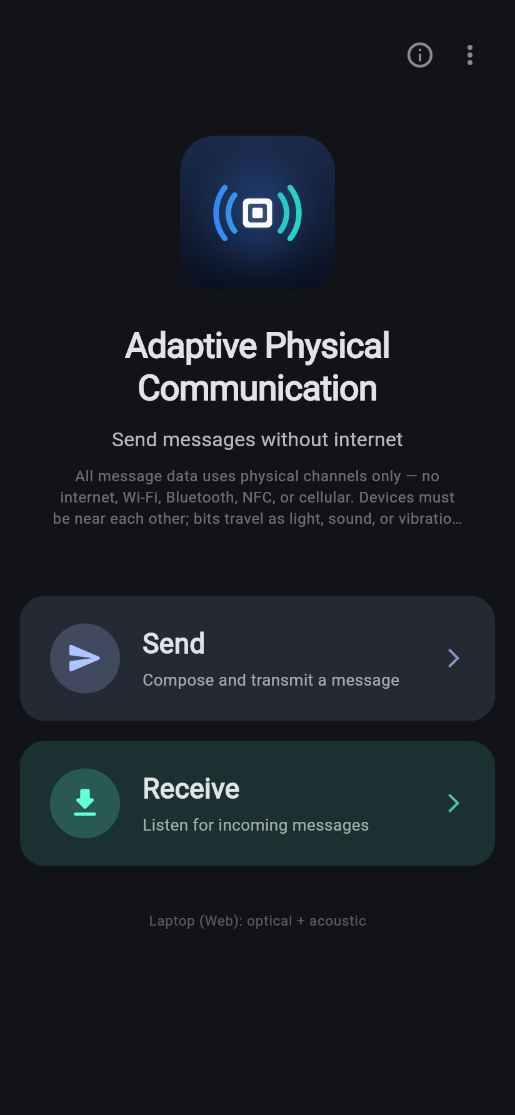
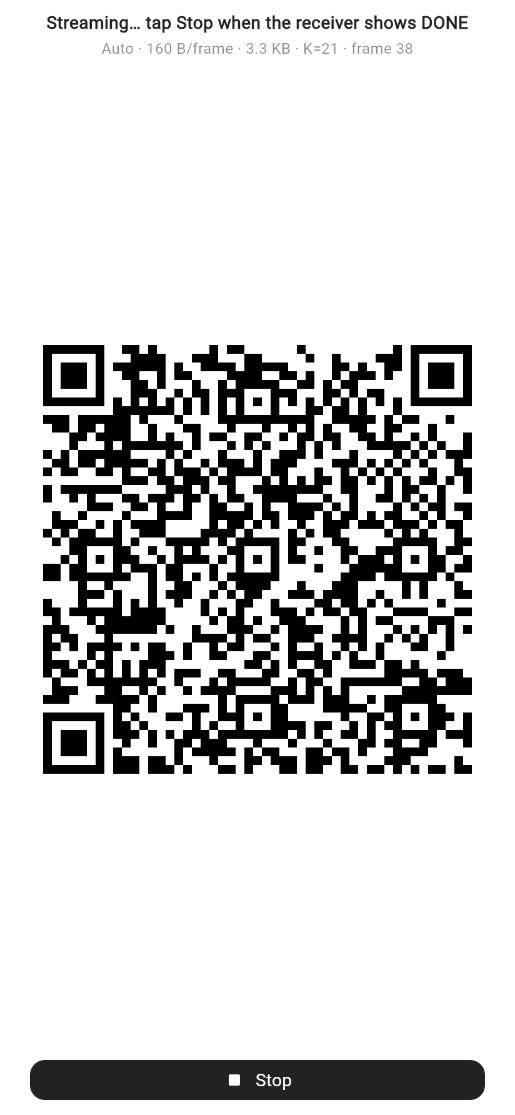
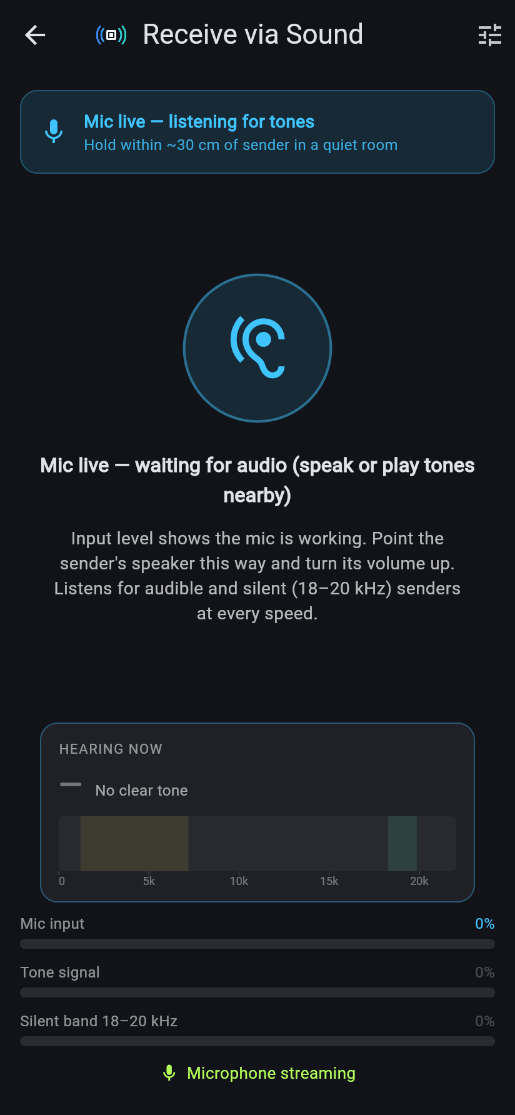
Home screen, sending over Light, and receiving over Sound (web build in a phone-sized window).
This README is the complete technical manual. It explains what every part does, how it works, the exact numbers it uses, and how those numbers were derived. If you only want to use the app, start with the User Guide. The documentation set splits the same material by topic and adds byte-level examples, derivations and developer references.
Contents
- At a glance
- Features
- Quick start
- Using the app
- Showcase and demo guide
- System architecture
- Data formats shared by all channels
- The fountain code (LT code)
- Light channel: animated fountain QR
- Sound channel: multi-tone FSK + Reed-Solomon + fountain
- Vibration channel
- Legacy modems kept for reuse
- Reliable transport, state machine and adaptive engine
- Simulation lab and performance comparison
- Media: compression, demo samples, explainer videos, Gallery
- User interface
- Platforms, permissions and dependencies
- Testing and verification
- Transfer-time planning tables
- Known limitations and honest caveats
- Troubleshooting
- Project structure
- Glossary
- References
Also: Contributing · Security · Citing this project · Acknowledgements · Author · License
1. At a glance
| Light (fountain QR) | Sound (MT-FSK fountain) | Vibration | |
|---|---|---|---|
| Status | Working | Working | Experimental: unreliable on real phones |
| Transmitter | Screen, full brightness | Speaker | Vibration motor |
| Receiver | Camera, 1.5× zoom | Microphone, 44.1 kHz | Accelerometer |
| Topology | One-to-many broadcast | One-to-many broadcast | One-to-one, phones touching |
| Recommended range | 15–25 cm | Across a table (≈0.3–2 m, estimated) | Contact |
| Payload rate | ≈1.3–2.5 KB/s (estimated from the camera simulator) | Nominal: 11 / 18 / 27 / 36 B/s (Rugged / Safe / Standard / Fast); inaudible 3.4 / 5.0 B/s (Silent Robust / Silent) | ≈0.5 B/s (nominal) |
| Max message | 8 MiB (practical: < 200 KB) | 8 KiB direct (practical: ≤ 2 KB) | Short text |
| Error handling | Rateless LT fountain + CRC-32 per frame | Reed-Solomon per frame (errors + erasures) + CRC-16 + LT fountain | CRC-32 packets + ACK/retransmit |
| Best for | Photos, video, files | Short text, tiny images | Not recommended yet |
About these numbers. They come from the app’s own formulas and from headless simulations of a phone camera and a room, not from a study across many phones.
- Nominal rates are calculated from each profile’s timing, before any lost or repaired frames.
- Estimated rates combine the raw frame rate with decode rates measured in the simulators.
- Ranges are recommendations.
- Frequencies such as 18.3–19.9 kHz are design values set in the code, not measurements.
Cameras, speakers and microphones differ a lot between phones, so your results may be different. See Performance for how each number is derived, and section 20 for what hasn’t been verified on devices.
Core ideas in one line each:
- Rateless fountain coding: the sender never repeats itself. Every frame the receiver catches carries new information, so lost frames don’t matter, only how many good frames arrive. There is no back-channel.
- Camera-realistic QR density: codes are kept sparse (QR version 8–12) because, in the camera simulator and in an early field test, a hand-held phone camera read a dense (version 20) code only about 11–13% of the time.
- Soft-decision acoustic decoding: the receiver knows which bytes it is unsure of, and tells Reed-Solomon to treat them as erasures, which doubles the number of bytes it can repair.
- Exact decoding: both channels finish as soon as the received equations have full rank, on average 0–2.2 symbols more than the theoretical minimum.
Quick answers
What is APCS? APCS (Adaptive Physical Communication System) is a free, MIT-licensed Flutter app that transfers files between two nearby phones using only light and sound. The sender shows animated QR codes or plays tones, and the receiver reads them with its camera or microphone.
Can I send files between phones without Internet, Wi-Fi or Bluetooth? Yes. APCS sends data through the screen and camera (Light) or the speaker and microphone (Sound). No radio is used in the data path, and the Android release build doesn’t request the Internet permission.
How fast is APCS? Light is estimated at about 1.3–2.5 KB/s, based on the camera simulator. That’s enough for photos and short videos. Sound runs at a nominal 11–36 bytes per second (3.4–5.0 B/s on the inaudible Silent band), so it suits short text and links. See Performance.
Can one phone send to several phones at once? Yes. Light and Sound are one-to-many broadcasts: any number of receivers can read the same QR stream or listen to the same tones, and each finishes on its own.
How does APCS cope with missed frames and noise? APCS uses a rateless LT fountain code, so a receiver needs any K good frames, not particular ones. Sound frames also carry Reed-Solomon error correction with erasure decoding, and every frame has a CRC check.
Is APCS encrypted? No. Anyone nearby can see the QR codes or hear the tones, so don’t send secrets. See the security policy.
Which platforms does APCS support? Android and iOS support Light and Sound, plus experimental Vibration. Chrome on a laptop supports Light (via the webcam) and Sound.
More questions are answered in the FAQ.
2. Features
Messaging
- Send text, links (auto-detected), photos, videos and files.
- Photos are automatically resized and JPEG-compressed to ≤ 120 KB before sending.
- Demo samples are built into the app: 16 tiny photos (2 / 5 / 10 / 20 KB) and 9 short videos with sound, including 8 narrated educational explainers. No files need to be copied to the phone for a demo.
- Received content is displayed straight away. Text is selectable, links open in the browser, images open full-screen with pinch-zoom, and videos auto-play with sound.
- Received photos and videos are saved automatically to the Gallery, in the album “Adaptive Comm”. A Save / Retry button shows the save state, and nothing is saved twice.
Light channel
- Animated QR stream in raw QR byte mode, with no base64 overhead.
- Auto density: picks 160, 240 or 330 bytes per frame (QR version 8, 10 or 12) from the file size. Safe, Standard and Fast are manual overrides.
- Rateless: streams fresh symbols until you tap Stop, with a 10-minute safety cap. Resume streaming continues the same session.
- Screen brightness is forced to maximum while streaming and restored afterwards (Android).
- Receiver camera tuned for reading screens: 1.5× sensor zoom, 1×/1.5×/2×/3× zoom chips, centre focus and metering, tap-to-refocus, −0.7 EV exposure.
- Decoding runs in a background isolate so the UI never stalls. Frames that arrive while it is busy are dropped harmlessly.
- The receiver keeps partial progress for up to 3 transfers, across re-aiming, leaving the screen and camera restarts.
- Live HUD shows SCAN/LOCK/DONE, capture fps, decode rate, goodput, new/duplicate/redundant symbols, progress and a “stalled” hint.
Sound channel
- Multi-tone FSK: 6 or 8 tones at once, each carrying 4 bits, between about 1.2 and 7.2 kHz.
- Four speed profiles (Rugged, Safe, Standard, Fast). The receiver detects the sender’s profile automatically.
- Silent band (Silent, Silent Robust): one near-ultrasonic tone at a time between 18.3 and 19.9 kHz, with echo-guard frames and a 16 kHz receive filter. The receiver listens for both bands at once.
- A Frame to be sent card shows how the frame’s airtime splits into marker, header, message, CRC and parity, with tone range, frame time and frame count.
- Per-frame sync burst with leading-edge detection, so it isn’t fooled by loud reflections.
- Reed-Solomon GF(256) with errors-and-erasures decoding, a confidence-driven erasure retry (GMD), and CRC-16.
- Rateless LT fountain across frames, shared with the Light channel.
- Live meters for mic input, tone signal, the 18–20 kHz band, blocks recovered and frames too damaged.
- Live frequency readout: the sender shows Sending now (the exact tones on air, in kHz) and the receiver shows Hearing now (the strongest frequencies its microphone picks up), each with a 0–22 kHz spectrum strip. When sound is getting through, both phones show the same kHz.
Vibration channel (experimental)
- Pulse-width keying: short pulse = 0, long pulse = 1, detected by the accelerometer against an adaptive gravity baseline.
- Not reliable yet. The encoder and decoder pass their unit tests, but real phone-to-phone transfers usually fail or stall. Use Light or Sound for anything that matters.
Engineering features
- Simulation Lab: 9 scenarios with two virtual phones, live metrics, channel scoring and mid-transfer channel switching.
- Performance comparison: adaptive against fixed-channel strategies.
- Reliable transport: 24-byte packet header, CRC-32, sliding window, ACK/NACK, retransmission, and a broadcast mode.
- 10-state transfer state machine with validated transitions.
- Headless test harnesses that simulate a phone camera (perspective, blur, glare, noise) and a room (multipath, reverb, speaker roll-off, clock drift, noise).
- Reproducible media tooling (
tool/) for exact-size photos and narrated explainer videos.
3. Quick start
Prerequisites
- Flutter SDK with Dart ≥ 3.11 (
flutter --version) - Android Studio / Android SDK (for the APK), or Xcode (for iOS), or Chrome (for web)
- Two phones for real transfers. A phone and a laptop running Chrome also works for Light and Sound.
Run
git clone https://github.com/harsharaj-s/adaptive-physical-communication-system.git
cd adaptive-physical-communication-system
flutter pub get
flutter test                 # full test suite (101 tests)
flutter run                  # on a connected Android/iOS phone (all channels)
flutter run -d chrome        # web: Light + Sound via webcam, speaker and mic
Build a release APK
flutter build apk --release
# → build/app/outputs/flutter-apk/app-release.apk
Install the same build on both phones. The Light frame format is versioned (APCF v3) and older builds are rejected on purpose.
Windows note: if Gradle fails with “Connection timed out” while downloading its distribution, point it at your normal cache first:
$env:GRADLE_USER_HOME = "$env:USERPROFILE\.gradle"; flutter build apk --release
4. Using the app
Sending
- Home → Send.
- Type a message or link, or tap Image, Video, Link or Demo samples.
- Continue to send, then choose Light, Sound or Vibrate.
- Adjust the channel options:
- Light: “QR density” (Auto recommended). The line under the preview shows size, bytes per frame and estimated time.
- Sound: a “Sound band” switch (Audible / Silent), speed chips for that band (each showing bytes per second), the Frame to be sent card and an estimate.
- Vibrate (experimental): phones must touch. Transfers often fail; use Light or Sound instead.
- Tap Show QR & send, Play & send or Start vibration.
- Light and Sound stream until you stop them. Tap Stop once the receiver shows DONE, or Resume streaming if it hasn’t finished.
Receiving
- Home → Receive, then pick the same channel as the sender.
- Light: hold the phone 15–25 cm from the sender’s screen with the whole QR inside the corner brackets. Tap the preview to refocus and use 2× if the QR looks small. The HUD goes SCAN → LOCK → DONE.
- Sound: allow the microphone. Hearing now shows the frequency the microphone picks up. The card shows “Receiving over sound · <profile>”, blocks recovered and damaged frames.
- Vibrate (experimental): press the phones together firmly. Don’t expect the message to arrive every time.
- The message appears in a card. Photos and videos are saved to the Gallery (album Adaptive Comm). Clear & keep listening gets ready for the next message.
5. Showcase and demo guide
A recipe that works reliably in front of an audience:
- Install the same APK on both phones. Turn on auto-brightness or maximum brightness and turn the volume up.
- Light demo (recommended):
- Sender: Send → Demo samples → Speed of light (78 KB narrated video) or a 5–20 KB photo → Light → density Auto → Show QR & send.
- Receiver: Receive → Light. Hold 15–25 cm away, QR inside the brackets, elbows resting on the table. Watch LOCK and the symbol count climb.
- A 5 KB photo finishes in about 3–5 s; a 78 KB video in about 40 s.
- When the receiver shows DONE the video plays with sound and is in the Gallery. Tap Stop on the sender.
- Sound demo: send a short text such as “Hello from sound!” (24-byte envelope, one block) on Standard, speaker facing the receiver’s microphone. It takes about 10 s. In a noisy hall use Rugged; the receiver follows automatically.
- If a transfer stalls: nothing is lost. Re-aim (Light) or move closer (Sound). The receiver keeps its progress; the sender can Resume streaming.
- Explain while it runs: point at the HUD. NEW counts useful symbols, DUP repeated ones, DEC successful QR reads per second. The file completes once it has about as many useful symbols as it has pieces.
6. System architecture
┌────────────────────────────── Flutter UI ──────────────────────────────┐
│ Home → SendCompose → ModePicker → SendTransmit     Home → Receive      │
│ Dev tools: Simulation Lab · Hardware · Legacy Messages · Performance   │
└───────────────────────────────┬────────────────────────────────────────┘
                                │ ListenableBuilder / AppProvider
┌───────────────────────────────▼────────────────────────────────────────┐
│ AppController (ChangeNotifier) — mode, role, chat store, 80 ms RX poll │
└───────┬───────────────────────────┬───────────────────────┬────────────┘
        │ direct envelope path      │ protocol path          │ simulation
┌───────▼─────────────┐   ┌─────────▼──────────┐   ┌─────────▼───────────┐
│ FountainQrModem     │   │ TransferManager    │   │ SimulationOrchestr. │
│ AcousticFountainMdm │   │  + StateMachine    │   │  9 scenarios        │
│ (rateless, no ACK)  │   │  + ReliableTransp. │   │  + AdaptiveEngine   │
└───────┬─────────────┘   └─────────┬──────────┘   └─────────┬───────────┘
        │                           │ ChannelManager          │
┌───────▼───────────────────────────▼─────────────────────────▼───────────┐
│ HardwareOpticalChannel │ HardwareAcousticChannel │ HardwareVibration    │
│ SimulatedCommChannel ×3 (VirtualLink over SimulatedMedium)              │
└───────┬───────────────────────────┬─────────────────────────┬───────────┘
   screen / camera           speaker / microphone     motor / accelerometer
Layers
| Layer | Location | Responsibility |
|---|---|---|
| App shell | lib/main.dart |
MaterialApp, dark Material 3 theme, AppProvider, full-screen QR overlay above every route |
| Application | lib/application/app_controller.dart |
Single hub: simulation, hardware, chat list, send/receive flows, receive polling |
| Chat | lib/core/chat/ |
ChatMessage model, APCM envelope codec |
| Physical modems | lib/core/physical/ |
Fountain QR, LT code, MT-FSK, Reed-Solomon, sync, legacy codecs |
| Channels | lib/core/channels/ |
CommChannel interface plus hardware and simulated implementations |
| Transfer | lib/core/manager/ |
TransferManager, TransferStateMachine, ChannelManager |
| Transport / protocol | lib/core/transport/, lib/core/protocol/ |
Fragmentation, ACK/NACK, retransmission; 24-byte header + CRC-32 |
| Decision | lib/core/engine/ |
Metric normalisation, weighted score, degradation and hysteresis |
| Simulation | lib/core/simulation/ |
Medium model, virtual links, scenarios, orchestrator |
| Media / platform | lib/core/media/, lib/core/platform/ |
Compression, samples, Gallery, capability detection, UI state notifiers, brightness |
Two ways data travels
Direct envelope path (Light and Sound, the normal case). The whole message is packed into one APCM envelope and handed to a rateless fountain modem. There are no packets, no ACKs and no fragmentation layer. This is what makes one-to-many broadcast possible and what makes lost frames harmless.
Protocol path (Vibration, and Sound messages over 8 KiB). The envelope is split into packets with a 24-byte header and CRC-32, sent through ReliableTransport with a sliding window, and ACKed in one-to-one mode.
Send flow
SendComposeScreen ─► ComposePayload ─► ModePicker ─► SendTransmitScreen
  └─► AppController.sendPhysicalMessage(payload, channel)
        ├─ images: compressImageForTransfer()  (≤120 KB JPEG)
        ├─ envelope = ChatPayloadCodec.encode(type, data, fileName, mime)
        ├─ Light            → HardwareOpticalChannel.transmitEnvelope → FountainQrModem.transmit
        ├─ Sound ≤ 8192 B   → HardwareAcousticChannel.transmitEnvelope → AcousticFountainModem.transmit
        └─ Vibration / big  → runHardwareTransfer → TransferManager → ReliableTransport → channel.transmit
Receive flow
ReceiveScreen ─► AppController.startListening(channel)   (only that channel's sensor is started)
  └─ every 80 ms: _pollHardwareReceiver()
        ├─ protocol packets → reassembly (1800 ms idle timer) → envelope
        └─ receiveEnvelopes() from the Light / Sound fountain modems
              └─► ChatPayloadCodec.decodeIncoming → chat list → ReceivedContentView
                    └─► GallerySaver.save (photos and videos)
7. Data formats shared by all channels
7.1 APCM chat envelope (lib/core/chat/chat_payload_codec.dart)
Every message, whatever the channel, is first packed into this envelope:
| Offset | Size | Field |
|---|---|---|
| 0 | 4 | Magic 41 50 43 4D = "APCM" |
| 4 | 1 | Type: text 0, image 1, video 2, file 3, link 4 |
| 5 | 1 | nameLen |
| 6 | nameLen | File name (UTF-8) |
| 6+nameLen | 1 | mimeLen |
| 7+nameLen | mimeLen | MIME type (UTF-8) |
| 7+nameLen+mimeLen | rest | Raw content bytes, running to the end of the envelope |
- Overhead is
7 + nameLen + mimeLenbytes.- Text and links are sent with an empty name and MIME type (the type byte already says what they are), so their overhead is 7 bytes. “sos” becomes a 10-byte envelope.
- A link uses
link.url/text/uri-list, also 28 bytes.
- Validation (
looksComplete):- The type must be valid and the name/MIME lengths must be in bounds.
- Text and link content must be non-empty.
- An image must start with a JPEG (
FF D8), PNG, GIF or WebP signature. - A video must be at least 512 bytes.
- The receiver delivers a message only when the envelope passes these checks.
7.2 Protocol packet (lib/core/protocol/packet_codec.dart)
Used by Vibration, oversized Sound messages and the simulation. The fields are little-endian.
| Offset | Size | Field |
|---|---|---|
| 0 | 1 | Protocol version (= 1) |
| 1 | 4 | sessionId |
| 5 | 4 | transferId |
| 9 | 1 | packetType (discovery 0 … data 5, ack 6, nack 7, retransmissionRequest 8, channelSwitchRequest 9, channelSwitchAck 10, heartbeat 11, transferStatus 12, transferComplete 13, error 14) |
| 10 | 1 | channelId (optical 1, acoustic 2, vibration 3) |
| 11 | 4 | sequenceNumber (data starts at 1) |
| 15 | 2 | payloadLength |
| 17 | 2 | totalPackets (0 = unknown) |
| 19 | 5 | reserved (zero) |
| 24 | N | payload |
| 24+N | 4 | CRC-32 over bytes 0…23+N |
The per-packet overhead is 28 bytes.
Payload size per packet (MTU):
| Context | Optical | Acoustic | Vibration |
|---|---|---|---|
| Hardware | 1400 B | 512 B | 48 B |
| Simulation | 256 B | 256 B | 256 B |
7.3 Checksums
| Checksum | Parameters | Used by |
|---|---|---|
| CRC-32 (IEEE) | Reflected polynomial 0xEDB88320, init 0xFFFFFFFF, final XOR 0xFFFFFFFF |
Packets, Light frames, envelope de-duplication, session IDs |
| CRC-16/CCITT-FALSE | Polynomial 0x1021, init 0xFFFF, MSB-first, no reflection, no final XOR |
Sound frames |
8. The fountain code (LT code)
lib/core/physical/fountain/lt_codec.dart. Shared by the Light and Sound channels.
8.1 Why a fountain code
A screen or speaker cannot hear back from the receivers. With a normal “send each piece once” scheme, any lost piece means waiting for a full repeat cycle. A fountain code instead produces an endless stream of encoded symbols, each a combination of the original pieces. Any K plus a few of them are enough to rebuild the file. Nothing needs to be retransmitted and every receiver finishes as soon as it has enough, regardless of which frames it missed.
8.2 Splitting the file
K        = ceil(fileLen / blockLen)        (K = 1 for an empty file)
block[i] = bytes [i·blockLen, (i+1)·blockLen), the last block zero-padded
fileLen travels in every frame header, so the padding is removed on reassembly.
8.3 Encoding symbol i
The code is systematic: symbols 0…K−1 are the original blocks, sent first. Symbols K, K+1, … are repair symbols. Each is the XOR of a set of blocks called its neighbours:
symbol(i) = block[i]                                  if i < K
symbol(i) = XOR of block[n] for n in neighbours(i)    if i ≥ K
The neighbour set is computed from (sessionId, i, K) alone, so sender and receiver regenerate it independently and no neighbour list is transmitted. There are three regimes:
| K | Neighbour rule | Why |
|---|---|---|
| 1 | always {0} | trivial |
| 2 – 8 (small K) | cycle through all 2ᴷ−1 non-empty subsets in a session-keyed shuffled order | no equation repeats within a cycle |
| 9 – 256 (dense) | uniformly random non-empty subset (each block included with p = ½) | K+m symbols are full rank with probability ≥ 1 − 2⁻ᵐ |
| > 256 (sparse) | fixed weight d = min(K/2, ceil(2·ln K) + 8) random blocks |
keeps XOR cost low for big files |
Small-K guarantee. A proper subspace of GF(2)ᴷ has dimension at most K−1, so it holds at most 2ᴷ⁻¹−1 non-zero vectors. Any 2ᴷ⁻¹ distinct non-zero subsets therefore span everything:
- K = 3: any 4 distinct repair symbols complete the file. The tests check that 5 consecutive ones always do.
- K = 8: 128 distinct symbols are a hard worst case, but in practice about K+1 suffice.
Dense-regime guarantee. For a random binary K×(K+m) matrix, the probability that it is not full rank is at most Σ over proper subspaces, roughly 2⁻ᵐ. Two extra symbols give ≥ 75%, and seven give ≥ 99%.
Sparse regime. The weight 2·ln K + 8 leaves about K⁻¹·e⁻⁸ blocks uncovered after K symbols. Examples: K = 257 → weight 20; K = 1133 → 23.
Why not the classic robust-soliton distribution? At small K it puts about 47% of symbols on the same “all blocks” equation. Measured with the old code, only 56% of random K+2 symbol sets (K = 1…10) were full rank, and a 3-block transfer finished with five distinct repair symbols just 69% of the time. That was the “stuck at 1 / 3 symbols” field bug. The new design fixes it.
8.4 Pseudo-random generator (identical on phone and web)
imul(a,b)   exact 32-bit multiply (web-safe)
fmix32(h)   MurmurHash3 finaliser: h^=h>>16; h*=0x85EBCA6B; h^=h>>13; h*=0xC2B2AE35; h^=h>>16
mix(sid,i)  fmix32(sid ^ fmix32(i + 0x632BE5AB))
rng.next32  counter++ ; fmix32(seed + counter·0x9E3779B9)      (counter-mode, stateless per symbol)
- Dense rows use
seed = mix(sessionId, i)and draw one 32-bit word per 32 blocks. - The small-K order is a Fisher–Yates shuffle of
[1 … 2ᴷ−1]seeded withmix(sessionId ^ 0x5A17C0DE, K).
8.5 Decoder: incremental Gauss–Jordan over GF(2)
Each received symbol is an equation (bitmask of neighbours, payload). The decoder keeps the equations in reduced row-echelon form:
- Reject it if the payload length is wrong, the index was already seen (DUP), or the file is already complete (RED).
- Reduce: XOR in every existing pivot row whose pivot bit is set in the new mask. One pass suffices, because pivot rows only contain free columns besides their own pivot.
- If nothing is left, the equation was linearly dependent (RED).
- Otherwise take the lowest set bit
pas a new pivot and back-eliminate it from every existing row that containsp. Store the row. This counts as NEW. - A row with a single bit is a solved block.
Completion: rank == K. Progress = rank / K.
- The masks are
Uint32Listbitsets. Payload XOR uses 32-bit words when aligned. - Memory is about
K · (4·⌈K/32⌉ + blockLen)bytes. K = 1133 with 330-byte blocks is roughly 0.5 MB. - In testing on the build host the decoder exceeded 40 KB/s of CPU goodput on a 365 KB file (K = 1133) with 20% erasures.
Because the decoder is exact (it finds a solution whenever one exists), the measured overhead across K = 1…600 at 40% frame loss is a mean of 0–2.2 extra symbols with a 95th percentile ≤ 6 (test/lt_small_k_test.dart).
9. Light channel: animated fountain QR
Main files:
| Area | Files |
|---|---|
| Modem | lib/core/physical/fountain/fountain_qr_modem.dart |
| Frame format | qr_fountain_frame.dart |
| QR bitmap | qr_bitmap.dart |
| Profiles and metrics | lib/core/physical/optical_tx_profile.dart |
| Receive pipeline | qr_gray_frame.dart, qr_decode_worker.dart, qr_frame_decoder.dart |
| Camera channel | lib/core/channels/hardware_optical_channel.dart |
| UI | lib/ui/widgets/qr_bitmap_view.dart, optical_fountain_qr_overlay.dart, optical_transfer_hud.dart, optical_aim_guide.dart |
9.1 Pipeline
APCM envelope ─► LT encoder ─► APCF v3 frame (26 B overhead + CRC-32) ─► QR byte mode, EC-L, mask 0
   ─► pixel-snapped QR on a white full-screen overlay at max brightness, 12 frames/s
                     ~~~~~~~~~~~~~~~~~~~~~~~~~~~ light ~~~~~~~~~~~~~~~~~~~~~~~~~~~
camera (720p, 1.5× zoom, −0.7 EV) ─► Y-plane centre square ─► decode isolate (zxing2)
   ─► APCF parse + CRC ─► LT decoder (per session) ─► APCM envelope ─► display + Gallery
9.2 APCF v3 frame
Big-endian, qr_fountain_frame.dart:
| Offset | Size | Field |
|---|---|---|
| 0 | 4 | Magic "APCF" |
| 4 | 1 | Version = 3 (v3 changed the LT mapping, so v2 frames are rejected) |
| 5 | 1 | Flags (bit 0 = gzip, reserved and currently never set) |
| 6 | 4 | sessionId |
| 10 | 4 | symbolIndex |
| 14 | 2 | K |
| 16 | 2 | blockLen |
| 18 | 4 | fileLen |
| 22 | blockLen | LT symbol payload |
| 22+blockLen | 4 | CRC-32 of everything before it |
- Overhead is 26 bytes: a 22-byte header plus the 4-byte CRC.
- Payload efficiency is 86.0% at 160 B, 90.2% at 240 B, 92.7% at 330 B and 95.8% at 600 B.
- Bytes after the CRC are ignored. QR byte mode pads to a codeword boundary.
- A text form
FQR3:+ base64url exists for string-only decoders (the web sampler). The sender always uses raw byte mode, which avoids base64’s 33% size penalty.
9.3 QR generation
- Library:
package:qr, viaQrCode.fromUint8List, which gives true 8-bit byte mode. - Error correction: level L, about 7% recovery. Integrity comes from the frame CRC, and missing frames are handled by the fountain code, so extra QR redundancy would only make the code denser.
- Fixed mask pattern 0:
- Searching all 8 masks costs about 15–40 ms on a dense code (visible stutter), against about 4 ms for a fixed one.
- Fountain payloads look random, so every mask scores about the same.
- Version: the smallest that fits
blockLen + 26bytes at EC-L:
| blockLen | Framed bytes | QR version | Modules per side (4v+17) |
|---|---|---|---|
| 160 | 186 | 8 | 49 |
| 240 | 266 | 10 | 57 |
| 330 | 356 | 12 | 65 |
| 600 | 626 | 17 | 85 |
| 800 (old default) | 826 | 20 | 97 |
- Rendering (
QrBitmapView):- A 4-module white quiet zone.
- Module size
floor(shortestSide·devicePixelRatio / (size+8)), snapped to whole device pixels, so no module is blurred across a pixel boundary. - Anti-aliasing off. Horizontal runs are merged into single rectangles.
- Repaints only when the bitmap changes.
9.4 Why sparse codes: the pixels-per-module argument
The receiver’s camera frame is 1280×720, and the decoder takes a centred square of 0.98 × 720 ≈ 706 px. Suppose the sender’s QR fills half of that square (the “typical” hand-held case):
QR v8  (49 + 8 quiet = 57 modules) :  353 px / 57  ≈ 6.2 px per module   → reads reliably
QR v12 (65 + 8       = 73 modules) :  353 px / 73  ≈ 4.8 px per module   → usually reads
QR v20 (97 + 8       = 105 modules):  353 px / 105 ≈ 3.4 px per module   → blur ruins it
With a little defocus and hand shake (σ ≈ 1 px blur plus 1 px motion), anything under about 4 px per module becomes a grey smear. The 1.5× zoom crops the sensor before it is downscaled to 720p, so it adds real resolution: the same code covers 1.5× more pixels, and the user can hold the phone back at 15–25 cm where every phone camera can focus.
9.5 Measured decode rates: the camera simulator
test/optical_camera_sim.dart renders each QR frame the way a phone camera sees another phone’s screen. For every frame it draws a new random pose:
- Geometry: rotation, perspective (corner jitter) and 3×3 supersampled projection.
- Optics: Gaussian and motion blur, contrast and gamma (a washed-out screen).
- Scene: a glare hotspot, sensor noise, and a dark bezel with background texture around the code.
| Tier | QR share of view | Rotation | Skew | Blur σ | Motion blur | Black / White level | Gamma | Noise σ | Glare |
|---|---|---|---|---|---|---|---|---|---|
| good | 62% | ±4° | 3% | 0.7 px | 0 | 35 / 220 | 0.9 | 3 | 0 |
| typical | 50% | ±8° | 6% | 1.1 px | 1 px | 60 / 205 | 0.8 | 6 | 0.1 |
| hard | 42% | ±12° | 8% | 1.5 px | 2 px | 80 / 195 | 0.7 | 8 | 0.2 |
Per-frame decode rate with the production decoder (test/optical_density_sweep_test.dart):
| Block | QR | good | typical | hard |
|---|---|---|---|---|
| 160 B | v8 | 100% | 100% | 63% |
| 240 B | v10 | 100% | 94% | 13% |
| 330 B | v12 | 100% | 81% | 0% |
| 600 B | v17 | 100% | 31% | 0% |
| 800 B | v20 | 100% | 13% | 0% |
| 1200 B | v25 | 81% | 0% | 0% |
The “typical” row matches a real field report of the old 800-byte default: DEC 2.0/s from CAP 18 fps, which is about 11%.
One-factor-at-a-time runs showed that sharpness (focus and shake) matters most, then how much of the frame the code fills, then noise. Contrast barely matters. That is why the design uses sparse codes, zoom, centre focus with tap-to-refocus, and slightly under-exposed capture (shorter exposure means less blur).
9.6 Profiles and Auto density
| Profile | Frames/s | Bytes/frame | QR | Nominal rate | Use when |
|---|---|---|---|---|---|
| Auto (default) | 12 | 160 / 240 / 330 | v8 / v10 / v12 | 1.9–4.0 KB/s | always, unless there’s a reason not to |
| Safe | 8 | 160 | v8 | 1.28 KB/s | far, shaky, washed-out screen |
| Standard | 12 | 330 | v12 | 3.96 KB/s | steady hands |
| Fast | 12 | 600 | v17 | 7.20 KB/s | tripod-steady, close, good light |
The Auto rule (resolveFor) picks the sparsest block size that keeps K ≤ 48 symbols (about a five-second transfer); otherwise it uses 330:
envelope ≤  7 680 B → 160 B/frame (v8)
envelope ≤ 11 520 B → 240 B/frame (v10)
otherwise           → 330 B/frame (v12)
Why 12 fps at most: each code must stay on screen for at least two camera exposures (about 66 ms at 30 fps capture). Faster display only guarantees that the camera catches codes mid-swap, which decode as nothing.
9.7 Transfer-time estimate
p      = profile.resolveFor(bytes)
K      = ceil(bytes / p.blockLen)
yield  = 0.70 (≤160 B) | 0.65 (≤240 B) | 0.55 (≤330 B) | 0.35 (larger)   ← expected decoded fraction of shown frames
ETA_s  = ceil( (K + 2) / (p.txFps · yield) )
The yield values are the simulated decode rates, discounted for frames that straddle a display refresh. Worked examples:
| Payload | Profile → block | K | Symbols/s = fps × yield | ETA |
|---|---|---|---|---|
| 2 000 B text/file | Auto → 160 | 13 | 12 × 0.70 = 8.4 | ⌈15 / 8.4⌉ = 2 s |
| 5 KB photo (≈5 130 B envelope) | Auto → 160 | 33 | 8.4 | ⌈35 / 8.4⌉ = 5 s |
| 10 KB photo | Auto → 240 | 43 | 7.8 | 6 s |
| 78 KB video (80 014 B) | Auto → 330 | 243 | 6.6 | ⌈245 / 6.6⌉ = 38 s |
| 136 KB video (139 179 B) | Auto → 330 | 422 | 6.6 | ⌈424 / 6.6⌉ = 65 s |
| 120 KB photo (max) | Auto → 330 | 373 | 6.6 | 57 s |
9.8 Transmitter loop
frameMs  = max(40, round(1000 / txFps))          → 83 ms at 12 fps, 125 ms at 8 fps
first frame held frameMs + 250 ms                  (gives the receiver time to autofocus)
loop:  show symbol i ─► build symbol i+1 while i is on screen ─► sleep the remainder ─► i++
- Order: the K systematic symbols first, then fresh repair symbols forever. An index is never repeated.
- Stopping: the loop runs until the user taps Stop, the transmitter state ends, or the 10-minute safety cap is reached (about 7 200 frames at 12 fps).
- The sender never claims delivery. With no back-channel the chat status is sent, not delivered. The result screen offers “Receiver shows DONE” or “Resume streaming”.
- Session ID is derived from the content:
(CRC32(envelope) ^ (blockLen · 0x9E3779B1)) & 0xFFFFFFFF(0 → 1). The same file at the same density always gets the same session. - Resume: the next unshown index is remembered per session (last 16 sessions). Re-sending continues with new symbols rather than restarting.
- Brightness:
MethodChannel('apcs/optical_display')→MainActivity.ktsets the window’sscreenBrightnessto full for the duration. It needs no special permission and is restored afterwards. - Wakelock keeps the screen on.
9.9 Receiver pipeline
Camera (HardwareOpticalChannel):
- Back camera,
ResolutionPreset.high(1280×720), YUV420 (BGRA on the web), no audio. - Tuned for reading screens:
- 1.5× zoom (clamped to the device range), with 1×/1.5×/2×/3× chips.
- Focus and exposure point at the centre; tapping the preview refocuses there.
- Exposure offset −0.7 EV, so the bright screen doesn’t bloom or force long, blurry exposures.
- Aim guide: a centred square (screen side minus 40 px) with corner brackets, matching the decoder’s crop.
Gray frame (extractQrGrayFrame, runs synchronously in the camera callback):
- On Android the YUV Y plane is already luminance, so no colour conversion is needed.
- A centred square covering 98% of the short side, sampled with step
round(crop / targetPx). At 720p that is a 706×706 frame at step 1, a straightmemmoveper row. - BGRA fallback:
lum = (r + 2g + b) / 4.
Decode worker (QrDecodeWorker):
- One long-lived background isolate. Frames are passed as
TransferableTypedData, which avoids copying. - Only one decode is in flight. New camera frames are skipped while it’s busy. That costs nothing: with a fountain code, the next frame is worth exactly as much as the skipped one.
- A 2-second reply timeout, so a lost reply can never freeze the receiver.
zxing2 decode sequence (first success wins):
| # | Binarizer | Hints | Purpose |
|---|---|---|---|
| 1 | GlobalHistogramBinarizer |
QR only | fastest; beat the hybrid binarizer in almost every sweep cell |
| 2 | same bitmap | pureBarcode |
random payload bytes sometimes form fake 1:1:3:1:1 finder patterns that outrank the real corners. This pass reads the grid from the black bounding box instead and rescued 100% of those frames (finder-only detection loses 3–8%) |
| 3 | HybridBinarizer |
QR only | uneven lighting |
tryHarder is deliberately off: it’s cheaper to drop a frame and take the next symbol.
Ingest:
- Parse the APCF frame and check the CRC.
- Frames from finished sessions are ignored (the sender’s “tail”).
- One LT decoder is kept per session, up to 3 at once. They survive leaving the screen, camera restarts and re-aiming.
- On completion the envelope must be valid APCM. It’s delivered once, de-duplicated by CRC-32.
9.10 HUD metrics
| Field | Meaning | Formula |
|---|---|---|
| SCAN / LOCK / DONE | no session yet / decoding a session / file complete | |
| CAP | camera frames per second | captures ÷ window (≈500 ms windows) |
| DEC | QR codes read per second | successful zxing reads ÷ window |
| DROP | frames rejected by a busy worker | |
| GOOD | goodput | useful symbols × blockLen ÷ elapsed (on completion: fileLen ÷ elapsed) |
| NEW / DUP / RED | useful / repeated index / linearly dependent symbols | LT decoder counters |
| x / K symbols | progress | rank / K |
| amber hint | “No codes readable — whole QR inside the square…” | shown when not complete, CAP > 2 and 4 consecutive windows (≈2 s) have had no decode |
9.11 Verified end-to-end results (simulation)
| Test | Result |
|---|---|
| 2 KB file, Auto, “typical” camera, 30% of frames lost | completes after ≈22 frames shown (≈1.8–2.3 s of streaming) |
| 2 KB file, “hard” camera at 1.5× zoom | completes after ≈23 frames (≈1.9–3.7 s) |
| Old 800-byte density, “hard” camera | 0 frames decoded in 20 s |
| 40 KB photo / 30 KB video through real QR + real zxing + real LT, 30% loss | recovered byte-exact |
| Production decoder on perfect renders | < 1% frame loss per profile |
10. Sound channel: multi-tone FSK + Reed-Solomon + fountain
Main files:
| Area | Files |
|---|---|
| Modem and codecs | lib/core/physical/acoustic/: mt_fsk_codec.dart, acoustic_frame_sync.dart, acoustic_fountain_frame.dart, reed_solomon.dart, acoustic_fountain_modem.dart, acoustic_tx_profile.dart, biquad_filter.dart, tone_timeline.dart, spectrum_analyzer.dart |
| Channel | lib/core/channels/hardware_channels.dart |
| UI | lib/ui/widgets/acoustic_transfer_hud.dart, lib/ui/widgets/live_tone_meter.dart, lib/core/platform/acoustic_spectrum_state.dart |
10.1 Pipeline
TX: APCM ─► LT symbols (blockLen) ─► 9 B header + payload + CRC-16 ─► + RS parity
        ─► MT-FSK waveform: 2-frame sync marker + data symbols ─► PCM16 WAV ─► speaker
RX: mic PCM16 44.1 kHz ─► float ─► frame sync (one per profile) ─► Goertzel demod (+ soft confidence)
        ─► RS decode (plain, then GMD erasure retries) ─► CRC-16 ─► LT decoder ─► APCM
10.2 Multi-tone FSK waveform
| Constant | Value |
|---|---|
| Sample rate f_s | 44 100 Hz |
| Analysis frame N | 1024 samples (23.22 ms) |
| Tone spacing = one frequency bin | f_s / N = 43.066 Hz |
| Data tones | bin = 40 + 16·g + v (group g, value v = 0…15) |
| Sync tones | bin 28 (1205.9 Hz) and bin 36 (1550.4 Hz) |
| Tones per group | 16, so 4 bits per group per symbol |
| Groups G | 6 or 8 → 24 or 32 bits = 3 or 4 bytes per symbol |
| Symbol length | F × 1024 samples (F = 3…6 frames) |
Band plan:
| Group | Bins | Frequencies |
|---|---|---|
| 0 | 40–55 | 1722.7 – 2368.7 Hz |
| 1 | 56–71 | 2411.7 – 3057.7 Hz |
| 2 | 72–87 | 3100.8 – 3746.8 Hz |
| 3 | 88–103 | 3789.8 – 4435.8 Hz |
| 4 | 104–119 | 4478.9 – 5124.9 Hz |
| 5 | 120–135 | 5168.0 – 5814.0 Hz |
| 6 (8-group profiles) | 136–151 | 5857.0 – 6503.0 Hz |
| 7 (8-group profiles) | 152–167 | 6546.1 – 7192.1 Hz |
Why these choices:
- Integer bins, so the tones are orthogonal. Every tone completes a whole number of cycles in each 1024-sample frame. Over a symbol window the tones don’t leak into each other, and consecutive symbols join with no phase jump, hence no clicks. Tone k is
A·sin(2π·bin·n/N), and n restarts every symbol. - Clip-free amplitude. Each tone gets
0.98 / (number of simultaneous tones): 0.49 for the two marker tones, 0.163 for G = 6 and 0.1225 for G = 8. Even the worst-case in-phase sum stays under full scale. - Nibble mapping. Group g of symbol s carries nibble
s·G + g. An even nibble is the high half of a byte and an odd one the low half, so each byte spans two adjacent groups. - Band. About 1.2–7.2 kHz is where phone speakers and microphones are reasonably flat. Below 1 kHz tiny speakers are weak; above 8 kHz roll-off and AGC distortion grow.
- Silent band. The two Silent profiles move the same codec to 18.3–19.9 kHz (bins 431–461, every second bin, sync tones at bins 424 and 427). They play one tone at a time, because two simultaneous near-ultrasonic tones produce an audible difference tone in a small speaker. Details: Sound Channel §14.
10.3 Demodulation: Goertzel with soft decisions
For each of the 16·G tones, the Goertzel algorithm computes the power at that exact bin over the whole symbol (F·1024 samples):
coeff = 2·cos(2π·bin / N)
s(n)  = x(n) + coeff·s(n−1) − s(n−2)
power = (s1² + s2² − coeff·s1·s2) / length
Goertzel costs O(length) per tone and needs no FFT, which is cheaper than an FFT when only 96–128 of 512 bins matter.
- Hard decision: in each group, the strongest of the 16 tones wins, giving 4 bits.
- Soft outputs:
- Group margin =
1 − secondBest / best: 0 is a coin toss, 1 a lone clean tone. - Byte reliability = min(margin of its two nibbles). This ranks bytes for erasure decoding.
- Frame confidence = mean over groups and symbols of
best / totalpower.
- Group margin =
10.4 Synchronisation
Every frame begins with a marker: both sync tones together for 2 frames (2048 samples, 46.4 ms).
Marker score (markerScore): split the 2048-sample window into two halves. For each half compute
score_half = 2 · min(P₂₈, P₃₆) / E (P = Goertzel power, E = mean square energy)
and take the minimum of the two halves. For an ideal aligned marker with tones of amplitude A:
P = A²·N/4, E = A²/2 + A²/2 = A² ⇒ score = 2·(A²N/4)/A² = N/2 = 512
Unrelated audio scores in the tens, so the lock threshold is 8.0. Requiring both halves prevents a window holding only the back half of a marker plus silence from scoring as well as an aligned one. That bug used to lock every frame one frame early.
Finding the frame (AcousticFrameSync):
- Scan in 64-sample steps (1.45 ms) until the score reaches 8.0.
- Leading edge, not the peak: within the next 2048 samples, find the peak score and take the first probe reaching 50% of it. A reflection can be louder than the direct sound, but the direct sound always arrives first.
- Data starts at marker + 2048. Wait until the whole frame is buffered.
- Fine alignment: try offsets of ±
min(symbolSamples/8, 512)in 64-sample steps and keep the one that maximises tone separation on the first symbol (3 groups). - Demodulate the codeword, decode it, and advance past the frame.
Automatic profile detection: the four audible profiles share one marker, and the two Silent profiles share another (bins 424 and 427, played one after the other instead of together; high-passed at 16 kHz before scoring). The receiver runs one frame-sync per profile in parallel, six in total, and the first profile whose frame survives Reed-Solomon, the CRC and the header’s blockLen check becomes the lock. After 4 markers with no good frame the lock is declared stale and all profiles are heard again. After each message the receiver reopens to every profile, because the next sender might pick another speed.
10.5 Acoustic frame format
Big-endian, acoustic_fountain_frame.dart:
| Offset | Size | Field |
|---|---|---|
| 0 | 2 | symbolIndex |
| 2 | 2 | K |
| 4 | 1 | blockLen (also used to confirm the profile) |
| 5 | 3 | fileLen (u24, up to 16 MiB) |
| 8 | 1 | sessionId ((ms since epoch / 97) & 0xFF) |
| 9 | L | LT symbol payload |
| 9+L | 2 | CRC-16/CCITT-FALSE over bytes 0…8+L |
| 11+L | P | Reed-Solomon parity |
Codeword length is 11 + L + P bytes. There is no interleaver: Reed-Solomon handles bursts of up to P/2 bytes directly (a 12-byte burst is tested).
10.6 Reed-Solomon error correction
reed_solomon.dart:
- Field GF(2⁸), primitive polynomial x⁸+x⁴+x³+x²+1 (
0x11D), α = 2, with exp/log tables. - Generator g(x) = ∏ᵢ₌₀^{P−1} (x − αⁱ). The code is systematic: data first, then P parity bytes.
- Shortened codes: n = 11 + L + P ≤ 255.
Decoding (errors only):
- Syndromes Sᵢ = c(αⁱ). All zero means the codeword is clean.
- Berlekamp–Massey gives the error locator Λ(z).
- Chien search finds its roots, which are the error positions. The root count must equal the degree.
- Forney computes the magnitudes: eᵢ = Ω(Xᵢ⁻¹) / ∏_{j≠i}(1 − XⱼXᵢ⁻¹), where Ω = S·Λ mod z^P.
- Recompute the syndromes. They must all be zero.
Errors and erasures: Berlekamp–Massey is seeded with the erasure locator Γ(z) = ∏(1 − Xⱼz) over the known-bad positions. The decoder succeeds whenever
2·(unknown errors) + (erasures) ≤ P
An erasure costs one parity byte, while an unknown error costs two.
GMD (generalised minimum distance) retry:
- Try a plain decode first.
- If it fails, sort bytes by reliability (least sure first) and retry with the 4, 8, 12, … weakest bytes declared erased.
- Always keep 4 parity bytes in reserve for error detection.
- The CRC-16 vets anything the decoder accepts.
This let the hardest room test go from decoding nothing to passing.
| Profile | Codeword n | Data k | Parity P | Errors only | Erasures only | GMD retries |
|---|---|---|---|---|---|---|
| Rugged | 63 | 43 | 20 | 10 | 20 | 4, 8, 12, 16 |
| Safe | 83 | 59 | 24 | 12 | 24 | 4 … 20 |
| Standard / Fast | 99 | 75 | 24 | 12 | 24 | 4 … 20 |
10.7 Profiles and rate calculation
| Rugged | Safe | Standard | Fast | Silent Robust | Silent | |
|---|---|---|---|---|---|---|
| Band | Audible | Audible | Audible | Audible | 18.3–19.9 kHz | 18.3–19.9 kHz |
| Tone groups G | 6 | 6 | 8 | 8 | 1 | 1 |
| Frames per symbol F | 6 | 4 | 4 | 3 | 3 (1 guard) | 2 (1 guard) |
| Symbol length | 139.3 ms | 92.9 ms | 92.9 ms | 69.7 ms | 69.7 ms | 46.4 ms |
| Bits / symbol | 24 | 24 | 32 | 32 | 4 | 4 |
| Raw bit rate | 172 b/s | 258 b/s | 345 b/s | 459 b/s | 57 b/s | 86 b/s |
| Block L / parity P | 32 / 20 | 48 / 24 | 64 / 24 | 64 / 24 | 24 / 16 | 24 / 16 |
| Codeword | 63 B | 83 B | 99 B | 99 B | 51 B | 51 B |
| Data symbols | 21 | 28 | 25 | 25 | 102 | 102 |
| Frame time | 2.972 s | 2.647 s | 2.368 s | 1.788 s | 7.152 s | 4.783 s |
| Net payload rate | 10.8 B/s | 18.1 B/s | 27.0 B/s | 35.8 B/s | 3.4 B/s | 5.0 B/s |
| Hint | loud room, metres apart | background chatter | normal room, across a table | quiet room, phones touching | inaudible, weak speaker or a loud crowd | inaudible 18–20 kHz, phones within arm’s reach |
The guard frame at the start of each Silent symbol is ignored by the demodulator, so echoes of the previous tone have died away before the decision.
Worked calculation, Standard:
bits/symbol     = 4 · G                        = 32          (4 bytes)
symbol samples  = F · N = 4 · 1024             = 4096        (92.88 ms)
codeword        = 11 + 64 + 24                 = 99 bytes
data symbols    = ceil(99 / 4)                 = 25
frame samples   = 2·1024 (marker) + 25·4096    = 104 448
frame time      = 104 448 / 44 100             = 2.3684 s
net rate        = 64 B / 2.3684 s              = 27.02 B/s
General formulas:
R_bits = 4·G·f_s / (N·F)                 raw bit rate
C      = 11 + L + P                      codeword bytes
S_d    = ceil(C / (G/2))                 data symbols per frame
T_f    = (2·N + S_d·N·F) / f_s           frame time
R_net  = L / T_f                         net payload bytes per second
Rugged gives up speed for robustness in three ways: longer symbols (more energy per decision, more tolerance to reverberation), only 6 groups (the high, most attenuated band is left out) and relatively more parity (P/L = 0.63 against 0.375).
10.8 Transmit loop
- The microphone is stopped first; voice-mode recording would duck the playback.
- Bursts:
max(2, min(4, K))frames back to back after 120 ms of lead silence (to let the audio output settle), played as one WAV. Mono 16-bit PCM at 44.1 kHz. - Rateless: fresh LT symbols until Stop, with a safety cap of
max(6K, K+24)symbols. - Progress bar target:
ceil(1.25·K) + 2symbols. - Estimate:
(ceil(1.25·K) + 2) × frameTime. - Audio session (Audible): speakerphone on, stay awake, voice-communication usage (Android); play-and-record with the loudspeaker as default output (iOS).
- Audio session (Silent): plain media playback, stay awake (Android); play-and-record with the loudspeaker as default output and no Bluetooth (iOS). The voice-call path would filter out 18–20 kHz.
- Bursts start and end with 256-sample raised-cosine fades, and Stop cuts the current burst immediately.
- Live readout: while a burst is rendered,
MtFskCodec.describerecords aToneTimelineof the same segmentsencodewrites. The clock starts when playback starts, and Sending now shows the segment at the elapsed time, refreshed every 50 ms.
10.9 Receive loop
recordstreams PCM16 mono at 44.1 kHz from the Android voice-recognition source, which must have noise suppression and AGC off and a flat response, including 18.5–20 kHz on devices that claim near-ultrasound support. It is converted to float (÷32768) and fanned out to the frame-syncs. Silent profiles’ syncs apply a 16 kHz high-pass first so voices don’t bury the marker.- Meters: input level = clamp(RMS × 12). The tone signal rises during a transfer. A separate Silent band 18–20 kHz meter shows RMS above 16 kHz.
- Hearing now: a 1024-point Hann-windowed FFT (43 Hz bins) over the latest audio, run only on the 80 ms UI tick. It reports up to 8 peaks at least 18 dB above the median bin, each placed to a few hertz by parabolic interpolation, plus 96 band levels for the spectrum strip.
- Phases: listening → tones detected (tone > 0.12) → decoding → decoded.
- The card shows “x of K blocks · n frames read · m too damaged”. Damaged frames are counted only while locked to a profile, because while hunting every wrong profile “rejects” every frame.
10.10 Room simulator and results
test/acoustic_channel_sim.dart processes the transmitted audio through clock drift (Catmull-Rom cubic resampling, optionally with hand wobble), multipath taps, a reverb tail (6 echoes spaced 35 ms apart), cascaded one-pole low-pass “speaker roll-off” stages (each about −3 dB at 3.1 kHz) and Gaussian noise at a target SNR:
| Scenario | SNR | Reverb | Roll-off stages | Clock drift | Multipath taps |
|---|---|---|---|---|---|
| easy | 20 dB | 0.15 | 0 | 0 ppm | 0 |
| room | 12 dB | 0.35 | 2 | 50 ppm | 3 |
| noisy room | 6 dB | 0.45 | 4 | 200 ppm | 5 |
| hostile | 2 dB | 0.55 | 6 (≈ −47 dB at 7.2 kHz) | 400 ppm | 7 |
Four near-ultrasonic scenarios test the Silent band: ultra desk, ultra hand (4 dB SNR plus 500 ppm hand wobble), chatter and crowd (three simulated talkers 6 dB and 15 dB louder than the tones). See Testing §4.2.
Verified in the tests:
- Every audible profile delivers a 415-byte file through “room” (Rugged 41.6 s, Fast 14.3 s).
- Safe delivers a text through “noisy room”.
- Rugged delivers “sos” through “hostile” (5.9 s).
- A 1.2 KB file (K = 25) completes through “noisy room” in close to the minimum number of frames.
- One receiver correctly auto-detects Rugged, Silent, Standard and Safe senders in turn.
- Silent delivers “Meet at gate 3” through every near-ultrasonic scenario, crowd included, and puts under −59 dB of its energy below 16 kHz.
11. Vibration channel
Status: experimental. This section describes how the channel is designed. The bit codec passes its unit tests, but on real phones vibration transfers usually fail or never finish. Likely causes are motor timing that differs between phones, accelerometer noise, and packets that take longer on air than the 20 s acknowledgement timeout (Known Issues §2.8). Don’t rely on it or demo it as a working feature.
Files: lib/core/channels/vibration_channel.dart, VibrationBitCodec in lib/core/physical/physical_codecs.dart.
Modulation: pulse-width keying.
| Item | Value |
|---|---|
| Bit 0 | 80 ms pulse |
| Bit 1 | 180 ms pulse |
| Gap | 60 ms (+50 ms settle in the motor call) → real periods 190 / 290 ms |
| Preamble | 0 1 0 1 0 1 1 0, then data MSB-first |
| Decision threshold | pulse ≥ 130 ms → 1 |
| Framing | protocol packets (48-byte payload) with CRC-32, sent one-to-one |
Receiver:
- Accelerometer magnitude
√(x²+y²+z²). - The gravity baseline starts at 9.8 m/s² and follows
b ← 0.92·b + 0.08·magwhile quiet. - A pulse starts when
|mag − b| ≥ 1.4 m/s². Pulses under 25 ms are ignored, and the duration becomes a bit. - Signal % =
|mag − b| / 6.
Motor: full-intensity pattern where supported, otherwise a plain duration vibrate, and a heavy haptic tick as the last resort.
Rate: about 240 ms per bit on average, which is ≈4.2 bit/s ≈ 0.5 B/s (nominal). Even when it works, it is only suitable for a few characters.
12. Legacy modems kept for reuse
These earlier modems remain in the codebase with their tests. The project rule is to extend, not overwrite. They are not selected by the current UI.
| Modem | How it works | Rate / limits | File |
|---|---|---|---|
| CSK light (colour-shift keying) | 2×2 colour mosaic; each cell red/green/blue/white = 2 bits, so 1 byte per frame. Preamble 00 55 AA FF + u16 length. 140 ms per symbol + 20 ms black guard, 3 repeats |
≈6 B/s, ≤ 180 B | physical/csk/csk_optical_modem.dart, optical_csk_codec.dart |
| APCS1 text QR | APCS1:<id>:<i>/<n>:<base64url> sequential chunks of ≤1400 B, 220 ms per frame |
superseded by fountain QR | physical/qr_optical_codec.dart |
| Two-tone FSK | 1800 Hz = 0, 3200 Hz = 1, 18 ms per bit, preamble 10101010, Goertzel detection, 180 ms lead silence, played 3× with 350 ms gaps |
55.6 b/s ≈ 7 B/s, ≤ 900 B direct | physical/physical_codecs.dart (FskCodec, FskStreamDecoder) |
| On/off light keying | luminance > 0.5 = 1, 100 ms per bit | test-only | OpticalBitCodec |
The new MT-FSK modem moves 27 B/s on Standard, about 4× the old FSK, with error correction and timing recovery the old one lacked.
13. Reliable transport, state machine and adaptive engine
13.1 Reliable transport (lib/core/transport/reliable_transport.dart)
| Config | ACK timeout | Max retries | Window |
|---|---|---|---|
| Simulation | 500 ms | 5 | 8 packets |
| Hardware | 20 000 ms | 8 | 4 packets |
- Fragmentation: data is split into
packetSizechunks with sequence numbers 1…N, andtotalPackets = Nin every header. - One-to-one (unicast):
- Send the window
lastAcked+1 … lastAcked+window. - ACKs advance
lastAcked. - The receiver ACKs each packet and NACKs gaps. NACKs and retransmission requests resend specific packets.
- A timeout resends until the retry limit.
- Send the window
- Broadcast: send every packet once, with no ACKs. Receivers stay silent, so ACK tones don’t drown out other receivers.
- Receiver: duplicates are counted and re-ACKed. The message is complete when 1…N are all present, then reassembled in order.
13.2 Transfer state machine (transfer_state_machine.dart)
idle → discovering → testingChannels → negotiating → transferring → completed
                                                        │    ▲
                                                        ▼    │
                                                     degraded ─► switchingChannel ─► recovering
(any state) ─► failed ;  completed / failed ─► idle
Illegal transitions throw StateError. History records every transition with its timestamp.
13.3 Adaptive decision engine (adaptive_decision_engine.dart)
Normalisation, all clamped to [0, 1]:
T = throughput / 25 000 bps      R = reliability (packets received / sent)
L = 1 − latency / 500 ms         C = confidence      S = stability
Score:
score = 0.35·T + 0.25·R + 0.15·L + 0.15·C + 0.10·S
Decisions:
- Initial pick: the highest score after a 20-packet test on each channel.
- Degraded if score < 0.65.
- Switch only if degraded and the alternative beats the current score by at least 0.15 (hysteresis stops flapping).
- Evaluation interval: every 20 transfer-loop iterations.
- Switching procedure: remember the last confirmed sequence → set the new channel → send
channelSwitchRequest→ the peer ACKs → resume from the last confirmed packet, without resending what was already confirmed.
Worked example (simulation defaults):
| Channel (simulated defaults) | T | R | L | C | S | Score |
|---|---|---|---|---|---|---|
| Optical, healthy (18 kbps, 1% loss, 2 ms) | 0.72 | 0.99 | 1.00 | 0.92 | 0.88 | ≈0.87 |
| Acoustic (9 kbps, 4% loss, 3 ms) | 0.36 | 0.96 | 0.99 | 0.76 | 0.72 | ≈0.70 |
| Vibration (0.8 kbps, 6% loss, 120 ms) | 0.03 | 0.94 | 0.76 | 0.70 | 0.68 | ≈0.53 |
Optical after optical-degrades hits (2 kbps, 30% loss, 500 ms) |
0.08 | 0.70 | 0.00 | 0.30 | 0.20 | ≈0.27 |
| Acoustic alternative in that scenario (9 kbps, 3% loss, 80 ms) | 0.36 | 0.97 | 0.84 | 0.79 | 0.88 | ≈0.70 |
Confidence in a test result is confidence × (1 − loss/2).
In the degraded case, optical is at 0.27, below 0.65, and acoustic is at about 0.70. The gap of 0.43 is at least 0.15, so the engine switches to acoustic.
In the live Send/Receive screens the user chooses the channel, so no adaptive switching happens there. Broadcast uses fixed preferences: optical, then acoustic.
14. Simulation lab and performance comparison
14.1 Medium model (simulated_medium.dart)
For every packet, in order:
- Loss: dropped with probability
lossRate. - Corruption: with probability
corruptionRate, one payload byte is XORed with0xFF. The CRC rejects the packet. - Delay:
latency ± 15 ms + len·8 / throughput · 1000 ms.
Degradation and recovery schedules swap the profile after N packets. VirtualLink wires endpoint A’s channels to endpoint B’s.
14.2 Scenarios
| id | What happens | Data |
|---|---|---|
optical-always-good |
Optical stays excellent | 4 KB |
acoustic-always-good |
Optical unavailable, acoustic stable | 4 KB |
optical-degrades (default) |
Optical collapses after 15 packets (2 kbps, 30% loss) → switch to acoustic | 8 KB |
random-loss |
8% random loss on optical | 4 KB |
burst-loss |
45% burst loss after packet 8 | 6 KB |
both-degrade |
Optical and acoustic both degrade after packet 10 | 2 KB |
acoustic-recovers |
Acoustic starts poor, recovers after packet 30 | 4 KB |
repeated-degradation |
Optical degrades at packet 12 and recovers at 35 | 10 KB |
vibration-coupled |
Only vibration usable | 2 KB |
Orchestrator flow: discover → test each channel (20 packets) → pick the best → transfer with reliable transport → re-evaluate every 20 iterations and switch if needed → verify the received bytes match. Run All Scenarios reports “N/9 scenarios passed”. It usually reports 7 of 9: optical-degrades and burst-loss fail because a transport bug stalls the transfer before the switch (Known Issues §3.2), and vibration-coupled passes but actually transfers over the simulated optical channel.
14.3 Performance comparison
Runs Adaptive (optical-degrades), Fixed Optical (8% loss) and Fixed Acoustic on 4 KB. It reports duration, throughput, goodput, packet loss, retransmissions and channel switches.
15. Media: compression, demo samples, explainer videos, Gallery
15.1 Photo compression (lib/core/media/image_compress.dart)
- Decode the photo (PNG, JPEG, GIF, WebP…) and resize so the long side is ≤ 960 px.
- Encode JPEG at q = 78. While it is over 120 KB and q > 40, lower q by 8 (78 → 70 → 62 → 54 → 46 → 38).
- If it is still too big, resize to 640 px and encode at q = 65.
- Output is always a displayable JPEG. Undecodable non-JPEG input shows a friendly error.
15.2 Built-in demo samples (assets/samples/)
Photos: robot lab, cat sketch, future city and night sky, each at 2, 5, 10 and 20 KB. They are baseline JPEGs sized by binary-searching quality and scale.
Videos, all with sound:
| File | Size | Length | Teaches |
|---|---|---|---|
how_qr_codes_work_140kb.mp4 |
136 KB | 27 s | Bits as squares, finder patterns, error correction, fountain QR |
how_sound_travels_150kb.mp4 |
145 KB | 29 s | Pressure waves; speed in air / water / steel; no sound in space |
binary_numbers_130kb.mp4 |
124 KB | 29 s | Place values, 5 = 101, bytes, ‘A’ = 65 |
morse_code_130kb.mp4 |
129 KB | 28 s | Dots and dashes, SOS with real beeps and a flashing lamp |
the_water_cycle_160kb.mp4 |
157 KB | 26 s | Evaporation → condensation → precipitation → collection |
why_we_have_seasons_140kb.mp4 |
135 KB | 27 s | The 23.5° axial tilt, not distance |
photosynthesis_140kb.mp4 |
137 KB | 30 s | Inputs, chlorophyll, outputs, equation |
speed_of_light_80kb.webm |
78 KB | 24 s | 299 792 km/s, sunlight takes about 8 min 20 s, lightning before thunder |
countdown_beeps_30kb.mp4 |
22 KB | 5 s | Audio/video sync test pattern |
The picker (Compose → Demo samples) reads the asset manifest automatically. Titles come from the file names; the _<N>kb suffix is the size budget and is enforced by test/sample_media_test.dart.
15.3 How the tiny videos are made (tool/)
python tool/make_explainer_videos.py [stem …]:- Frames: drawn with Pillow at 12 fps, 2× supersampled, with a 0.3 s crossfade between scenes. Each topic has its own palette, layout and animation.
- Narration: offline Windows text-to-speech (System.Speech, voice Zira) at 16 kHz.
- Music: soft synthesized intro/outro chimes and a quiet background pad.
- Encoding: two-pass to an exact byte budget.
- MP4: H.264 Main plus AAC-LC mono at 20 kbps, 16 kHz, 6 kHz cutoff. At 16 kbps, speech-recognition recall of the narration dropped from 77% to 30%, so 20 kbps was kept.
- WebM: VP9 plus Opus at 10 kbps in voice mode.
python tool/make_sample_media.py [photo_dir]rebuilds the photos, all explainers and the sync clip.- Budget maths: total kbps = budget·8 / duration × 0.96, and video kbps = total − audio − container overhead.
- If the file is still over budget, video kbps is scaled down and it is re-encoded, up to 8 tries.
Why they’re so small: 320×180 at 12 fps, mono speech-tuned audio at 10–20 kbps, calm synthetic motion, and two-pass rate control. For comparison, a normal phone video runs at more than 10 Mbps.
15.4 Saving to the Gallery (lib/core/media/gallery_saver.dart)
- Uses the
galplugin, writing to the MediaStore on Android and the Photos library on iOS, in the album “Adaptive Comm”. - Automatic save when a photo or video arrives. The status line reads “Photo saved to Gallery (Adaptive Comm)”.
- Button states: Save to Gallery → Saving… → Saved ✓, or the error with Retry.
- No duplicates: each message is saved at most once (tracked by message id).
- Permissions: Android 10+ needs none. Android ≤ 9 asks once for storage (
WRITE_EXTERNAL_STORAGE, maxSdk 29). iOS asks for photo-library add permission. - iOS Photos doesn’t accept WebM; MP4 works everywhere.
16. User interface
Home
 ├─ Send ─► Compose (text · Image · Video · Link · Demo samples)
 │            └─► Mode picker (Light · Sound · Vibrate) ─► Transmit screen
 ├─ Receive ─► Mode picker ─► Receive screen (camera / mic / accelerometer view + received card)
 └─ ⋮ Developer tools
      ├─ Simulation Lab      (scenario picker, two endpoint panels, live logs, Run All)
      ├─ Hardware Channels   (raw channel tests, role, camera preview)
      ├─ Legacy Messages     (chat-style transfer, Sim/Live, Broadcast/1:1)
      └─ Performance         (adaptive vs fixed strategies)
- Transmit screen:
- Ready state: channel tips, the density or speed picker, and an ETA.
- While sending: the full-screen white QR overlay with Stop (Light), a progress card with Stop and the Sending now kHz readout (Sound), or a pulsing icon (Vibrate).
- Back navigation is blocked while transmitting; pressing back cancels instead.
- Receive screen:
- A status banner with per-channel wording.
- Light: camera preview with aim brackets, zoom chips, tap-to-focus, the HUD and a completion card showing KB, seconds and KB/s.
- Sound: the Hearing now kHz readout with a spectrum strip, mic, tone and Silent band 18–20 kHz meters, a progress card and an Enable microphone button.
- Vibrate: a signal percentage.
- Received content card: text, link (Open link), image (tap for full screen), video (auto-play, loop, play/pause, time) and file, plus the Gallery button.
- Design: dark Material 3 with seed colour
#3B82F6and a responsive layout (phone < 600 px < tablet ≤ 1024 px < desktop).
17. Platforms, permissions and dependencies
Platform support
| Platform | Light | Sound | Vibration |
|---|---|---|---|
| Android | ✅ send and receive (brightness control, isolate decoder) | ✅ | ⚠️ Experimental, unreliable |
| iOS | ✅ | ✅ | ⚠️ Experimental, unreliable (haptic fallback) |
| Chrome (web) | ✅ webcam receive (canvas sampler, 640×640 centre patch) | ✅ | ❌ |
Permissions
- Android:
CAMERAandRECORD_AUDIO(runtime).MODIFY_AUDIO_SETTINGS,VIBRATE,WAKE_LOCK.WRITE_EXTERNAL_STORAGE(maxSdk 29, only for Gallery saving on old Android).- The release manifest has no
INTERNETpermission.
- iOS: camera, microphone, motion, and photo-library add/read usage descriptions.
- Web: the browser prompts for camera and microphone access.
Physical-only policy
lib/core/platform/platform_capabilities.dart lists the excluded transports (Internet/IP, Wi-Fi, Bluetooth, NFC, Cellular/SMS, Cloud) and test/physical_only_test.dart checks that exactly three physical channels exist.
Dependencies
| Package | Purpose |
|---|---|
camera |
Receive camera stream and preview |
qr |
QR matrix generation (byte mode) |
zxing2 |
QR decoding (isolate and web) |
record |
Microphone PCM16 stream |
audioplayers |
Playing generated WAV tones |
vibration, sensors_plus |
Motor pulses and accelerometer |
permission_handler |
Runtime permissions |
wakelock_plus |
Keep the screen on while streaming |
image |
JPEG decode, resize and encode |
file_picker |
Choosing photos, videos and files |
video_player |
Playing received videos |
gal |
Saving to the Gallery / Photos |
path_provider |
Temporary files |
url_launcher |
Opening received links |
web |
Browser APIs for the web receiver |
18. Testing and verification
flutter test                                    # everything (101 tests: 100 pass, 1 skipped)
flutter test test/optical_density_sweep_test.dart
OPTICAL_SWEEP=1 flutter test test/optical_density_sweep_test.dart   # print the full density table
flutter analyze                                 # static analysis (clean)
| Test file | What it proves |
|---|---|
lt_codec_test.dart |
Systematic recovery with exactly K symbols; 30% erasures; duplicates ignored; APCF CRC and text/binary paths |
lt_small_k_test.dart |
Decoder rank equals an independent GF(2) rank; K = 3 always completes from 5 repair symbols; overhead mean < 2.5, p95 ≤ 7 across K = 1…600 |
fountain_qr_roundtrip_test.dart |
Real QR render → rasterise → real zxing2 → LT: text, a 40 KB photo and a 30 KB video with 30% loss; QR versions ≤ 25; production decoder loss < 1%; hostile binary bytes |
optical_density_sweep_test.dart |
Auto density thresholds; decode-rate floors in the “typical” camera; 2 KB completes with 30% loss and at “hard ×1.5”; the old 800 B default < 50% |
fountain_benchmark_test.dart |
365 KB (K = 1133) recovers at 20% loss; decoder > 40 KB/s; profile ladder |
acoustic_channel_test.dart |
Profile rates and geometry; every audible profile through “room”; Safe through “noisy”; Rugged through “hostile”; Silent tones stay in 18–20 kHz with under −40 dB below 16 kHz; Silent through the near-ultrasonic scenarios; Silent Robust through a crowd; odd-group packing |
acoustic_live_tone_test.dart |
The sender’s tone schedule matches the generated audio sample for sample in every profile and every burst; the receiver’s FFT finds an 18 906 Hz tone within 8 Hz and every tone of a chord |
acoustic_modem_test.dart |
WAV loopback; rateless early stop; noisy multi-burst 1.2 KB; automatic profile detection across both bands; fixed-profile isolation; PCM16 round trip; Silent hand-held loopback |
reed_solomon_test.dart |
t errors for P = 4…32; bursts; parity-region errors; miscorrection < 5%; 2e + f = P for errors + erasures; 18 erasures beat 10-error limit |
physical_codecs_test.dart |
Legacy FSK, Goertzel, stream decoder, vibration codec thresholds |
protocol_test.dart |
CRC-32; packet encode/decode; corruption rejected |
state_machine_test.dart |
Full valid path; illegal transitions throw |
adaptive_engine_test.dart |
Scoring order; hysteresis cases; degradation threshold |
broadcast_mode_test.dart |
Broadcast sends without ACKs; duplicate handling |
simulation_integration_test.dart |
End-to-end scenario runs match byte-for-byte |
image_envelope_test.dart |
JPEG → envelope → QR chunks → reassembled image |
qr_optical_codec_test.dart |
Legacy APCS1 QR codec |
sample_media_test.dart |
Sample catalog, titles, and every asset within its size budget |
gallery_saver_test.dart |
Only non-empty photos/videos are saveable; unsupported hosts save nothing |
physical_only_test.dart, platform_capabilities_test.dart, widget_test.dart |
Policy, platform labels, home screen smoke test |
Helpers (not tests themselves): optical_camera_sim.dart (the camera model) and acoustic_channel_sim.dart (the room model).
19. Transfer-time planning tables
Estimates use the app’s own formulas: Light with Auto density and simulated capture yield, and Sound with ceil(1.25K)+2 frames. Real results depend on aim, light and room noise.
Light (Auto)
| Content | Envelope | Block | K | Estimate |
|---|---|---|---|---|
| Text message (100 chars) | 107 B | 160 | 1 | 1 s |
| 2 KB photo sample | ≈2.1 KB | 160 | 13 | 2 s |
| 5 KB photo sample | ≈5.1 KB | 160 | 33 | 5 s |
| 20 KB photo sample | ≈20.3 KB | 330 | 62 | 10 s |
| 78 KB narrated video | 80 KB | 330 | 243 | 38 s |
| 136 KB narrated video | 139 KB | 330 | 422 | 65 s |
Sound
| Content | Envelope | Rugged | Safe | Standard | Fast | Silent |
|---|---|---|---|---|---|---|
| “sos” | 10 B | K=1 → 4 fr → 12 s | K=1 → 4 fr → 11 s | K=1 → 4 fr → 9.5 s | K=1 → 4 fr → 7 s | K=1 → 4 fr → 19 s |
| 100-char text | 107 B | K=4 → 7 fr → 21 s | K=3 → 6 fr → 16 s | K=2 → 5 fr → 12 s | K=2 → 5 fr → 9 s | K=5 → 9 fr → 43 s |
| 2 KB photo | ≈2.1 KB | K=66 → 85 fr → 4.2 min | K=44 → 57 fr → 2.5 min | K=33 → 44 fr → 1.7 min | K=33 → 44 fr → 1.3 min | K=88 → 112 fr → 8.9 min |
(fr = frames; each frame lasts the profile’s frame time from §10.7; Silent frames last 4.78 s.) These are the pessimistic ⌈1.25·K⌉ + 2 targets. When every frame lands, a receiver finishes after exactly K frames, so “sos” takes one frame: 2.4 s on Standard, 4.8 s on Silent.
Vibration
A 9-byte envelope (“hi”) becomes a 37-byte packet = 304 bits × ≈0.24 s ≈ 73 s in theory. The channel is experimental and real transfers often don’t complete (see section 11).
20. Known limitations and honest caveats
Physical limits:
- Line of sight and steady hands for Light; tolerable noise for Sound; firm contact for Vibration.
- Physical signals can be seen or heard by anyone nearby. There is no encryption yet.
- Sound is slow. Use it for text and tiny images. Audible profiles can be heard (about 1.2–7.2 kHz); Silent profiles (18.3–19.9 kHz) can’t, but they only work on phones whose speaker and microphone pass 19 kHz.
No back-channel on Light and Sound:
- The sender can’t know when a receiver has finished, so it streams until you stop it and marks the message sent, not delivered.
Implementation notes found in code review (kept here so nobody is surprised):
- The APCF
gzipflag is defined but never used, so payloads are sent uncompressed. Media is already compressed. - The CSK light modem and the legacy two-tone FSK modem are kept but can’t be selected from the current UI.
- Photos, including demo samples, are re-compressed with the §15.1 pipeline at send time. A tiny, heavily compressed sample can therefore grow somewhat, up to the 120 KB cap.
- Sound messages over 8 KiB fall back to the packet protocol with the legacy FSK modem, which a fountain-mode receiver doesn’t decode. In practice, keep Sound messages under about 2 KB.
- Vibration doesn’t work reliably. On real phones, transfers usually fail or stall. One known cause is that vibration packets take longer on air than the 20 s ACK timeout; motor timing and accelerometer noise also vary between phones. Treat it as experimental.
- Simulation quirks:
- Channels marked “undiscoverable” are still tested and can still be chosen.
- A scenario’s override profile replaces all fields, not just the ones it names.
- The unicast sender treats per-packet ACKs as cumulative.
- The “fixed” comparison strategies still run the adaptive orchestrator.
The simulation demonstrates the decision logic; it is not a precise model of the phone link.
- In the Compose screen, text together with a photo or video attachment sends only the text.
- File names longer than 255 bytes would overflow the envelope’s one-byte length field.
Not yet verified on devices:
- Everything above was validated in headless simulations and on the build host.
- Zoom, focus, exposure and brightness behaviour, real decode rates and acoustic performance vary by phone model and should be rehearsed on the actual devices before a demo.
21. Troubleshooting
| Symptom | Fix |
|---|---|
| Receiver stays on SCAN | Move to 15–25 cm; get the whole QR inside the brackets; tap the preview to focus; try 2×; tilt to remove glare; make sure both phones run the same build |
| DEC low but CAP fine | Hold steadier (rest elbows); switch the sender to Safe; clean the lens; avoid a cracked area of the sender’s screen |
| Stuck at “x / K symbols” | Keep streaming. If the sender stopped, tap Resume streaming; the receiver kept its progress |
| Sound: “too damaged” keeps rising | Volume up, speaker pointed at the mic, move closer, or pick Rugged |
| Sound: nothing happens | Tap Enable microphone; check the app’s microphone permission; the tone meter should move while the sender plays |
| Sound Silent: the Silent band meter stays near zero | Media volume to maximum; swap the phones’ roles; if neither works, one phone can’t pass 19 kHz, so use Audible |
| Sender’s Sending now shows about 19 kHz but the receiver’s Hearing now shows — | The 19 kHz tone isn’t reaching the receiver’s microphone: same fixes as the row above. If Hearing now shows the right kHz but nothing decodes, move closer, hold still, or pick a Robust or Rugged speed |
| Photo not in the Gallery | Look for the album “Adaptive Comm”; tap Retry save on the received card; allow storage on Android ≤ 9 |
| Video won’t play on iPhone | Use the MP4 samples; iOS doesn’t play or save WebM |
| APK build fails downloading Gradle | Set GRADLE_USER_HOME to your normal .gradle folder (see §3) |
22. Project structure
lib/
├── main.dart                         App shell, theme, AppProvider, QR overlay
├── application/app_controller.dart   Central controller (send/receive/simulation)
├── core/
│   ├── chat/                         ChatMessage, APCM envelope codec
│   ├── channels/                     CommChannel, hardware optical/acoustic/vibration, web helpers
│   ├── engine/                       Adaptive decision engine
│   ├── logging/                      Structured logger
│   ├── manager/                      ChannelManager, TransferManager, state machine
│   ├── media/                        Image compression, sample media, Gallery saver
│   ├── performance/                  Strategy comparator
│   ├── physical/
│   │   ├── fountain/                 LT codec, APCF frames, QR bitmap, FountainQrModem
│   │   ├── acoustic/                 MT-FSK, frame sync, Reed-Solomon, frames, modem, profiles, filters, tone timeline, spectrum analyzer
│   │   ├── csk/                      Legacy colour-shift-keying modem
│   │   ├── optical_tx_profile.dart   Light profiles, Auto density, metrics
│   │   ├── qr_gray_frame.dart        Y-plane crop
│   │   ├── qr_decode_worker.dart     Background decode isolate
│   │   ├── qr_frame_decoder.dart     zxing2 decode sequence
│   │   └── physical_codecs.dart      Legacy FSK, Goertzel, vibration codec, WAV
│   ├── platform/                     Capabilities, UI state notifiers, brightness control
│   ├── protocol/                     24-byte packet header + CRC-32
│   ├── simulation/                   Medium, virtual links, scenarios, orchestrator
│   ├── transport/                    ReliableTransport
│   └── types/                        Enums, configs, metrics, constants
└── ui/
    ├── screens/                      Home, compose, transmit, receive, dev tools
    ├── widgets/                      QR view, HUDs, overlays, content view, panels
    ├── models/                       ComposePayload, PhysicalChannelMode
    └── theme/                        Responsive layout helpers
assets/samples/                       Demo photos and narrated explainer videos
tool/                                 Media, icon and social-preview generators; debug helpers
test/                                 Unit, integration and simulation tests (+ camera and room models)
android/ ios/ web/                    Platform projects (Android brightness channel in MainActivity.kt)
docs/                                 Full documentation set (index: docs/README.md)
.github/                              Issue forms and pull request template
PROJECT_REPORT.md                     Academic-style project report
CONTRIBUTING.md, CODE_OF_CONDUCT.md   How to contribute, and community rules
SECURITY.md                           How to report a vulnerability privately
CITATION.cff, LICENSE                 Citation metadata; MIT License
llms.txt                              Project summary and docs map for AI assistants
_config.yml, _includes/               Documentation website (GitHub Pages)
23. Glossary
| Term | Meaning |
|---|---|
| APCM | The app’s message envelope (type + name + MIME + data) |
| APCF | A Light-channel fountain frame inside one QR code |
| Fountain / LT code | Rateless erasure code: endless encoded symbols, any ≈K of which rebuild the file |
| K | Number of source blocks the file is split into |
| Symbol | One encoded block (one QR code, or one acoustic frame) |
| Systematic | The first K symbols are the original blocks themselves |
| Rank | Number of independent equations collected; complete at rank = K |
| QR version | Size class of a QR code (v8 = 49×49 modules … v25 = 117×117) |
| EC level L | Lowest QR error-correction level (≈7%) |
| Module | One black or white square of a QR code |
| MT-FSK | Multi-tone frequency-shift keying: several tones at once, each picking 1 of 16 frequencies |
| Goertzel | Efficient single-frequency power detector |
| FFT | Fast Fourier transform: the power at every frequency bin at once. Used only for the live Hearing now readout, not for decoding |
| dBFS | Decibels relative to full scale: 0 dBFS is the loudest sine the audio format can hold, so real levels are negative |
| Reed-Solomon | Byte-level error-correcting code over GF(256) |
| Erasure | A byte known to be unreliable. It costs half as much parity to fix as an unknown error |
| GMD | Generalised minimum distance decoding: retry with the least reliable bytes erased |
| CRC | Cyclic redundancy check, detects corrupted data |
| Goodput | Useful payload bytes delivered per second |
| Hysteresis | Requiring a clear margin before switching, to avoid flip-flopping |
24. References
- H. Han et al., “RescQR: Enabling Reliable Data Recovery in Screen-Camera Communication System,” IEEE Transactions on Mobile Computing, 2023. doi:10.1109/TMC.2023.3277212
- P. Getreuer et al., “Ultrasonic Communication Using Consumer Hardware,” IEEE Transactions on Multimedia, 20(6), 2018. doi:10.1109/TMM.2017.2766049
- I. Hwang, J. Cho, S. Oh, “Privacy-Aware Communication for Smartphones Using Vibration,” IEEE RTCSA, 2012. doi:10.1109/RTCSA.2012.43
- T. Wang et al., “Streaming QR Codes – A Survey,” IEEE Access, 2024. doi:10.1109/ACCESS.2024.3461970
- M. Luby, “LT Codes,” Proc. 43rd IEEE FOCS, 2002.
- I. S. Reed, G. Solomon, “Polynomial Codes over Certain Finite Fields,” J. SIAM, 8(2), 1960.
- ISO/IEC 18004:2015, QR Code bar code symbology specification.
- RFC 9285, The Base45 Data Encoding (considered for a future string-safe QR transport).
For the academic write-up (abstract, objectives, literature survey), see PROJECT_REPORT.md. The full reference list, including libraries and tools, is in References.
Contributing
Bug reports, results from real phones, documentation fixes and code are all welcome. Start with CONTRIBUTING.md, which explains how to report issues and open pull requests, and then the developer guide for code style and the rules that keep two phones compatible. Everyone taking part is expected to follow the Code of Conduct.
Security
APCS doesn’t encrypt or authenticate transfers; treat everything you send as public. The threat model explains why and how encryption could be added. To report a vulnerability, follow the security policy and don’t open a public issue.
Citing this project
If you use APCS in academic work, please cite it using the metadata in CITATION.cff. On GitHub, select Cite this repository in the sidebar to get APA or BibTeX.
Acknowledgements
APCS builds on open-source Flutter packages, notably qr and zxing2 for QR codes, camera, record and audioplayers for the hardware, and sensors_plus and vibration for the Vibration channel. The full list is in section 17, and the exact versions are pinned in pubspec.yaml and pubspec.lock.
Author
Harsharaj S


License
APCS is released under the MIT License. Copyright © 2026 Harsharaj S.
The MIT License covers this project’s own code and documentation only. Third-party packages listed in pubspec.yaml remain under their own licenses; the app’s About dialog lists them. The papers and standards in References are cited for background and don’t imply endorsement by their authors or publishers.